Key KPIs and the active time range in one view
 Commerce
beyond today
Dashboard
The dashboard that starts every commerce day
Dashboard connects current workspace data with direct paths into Products, Orders, Delivery, Advertising, Analytics and Finance. Teams can review verified KPIs, recent activity and areas that need attention without opening every module first.
Try Zavyra →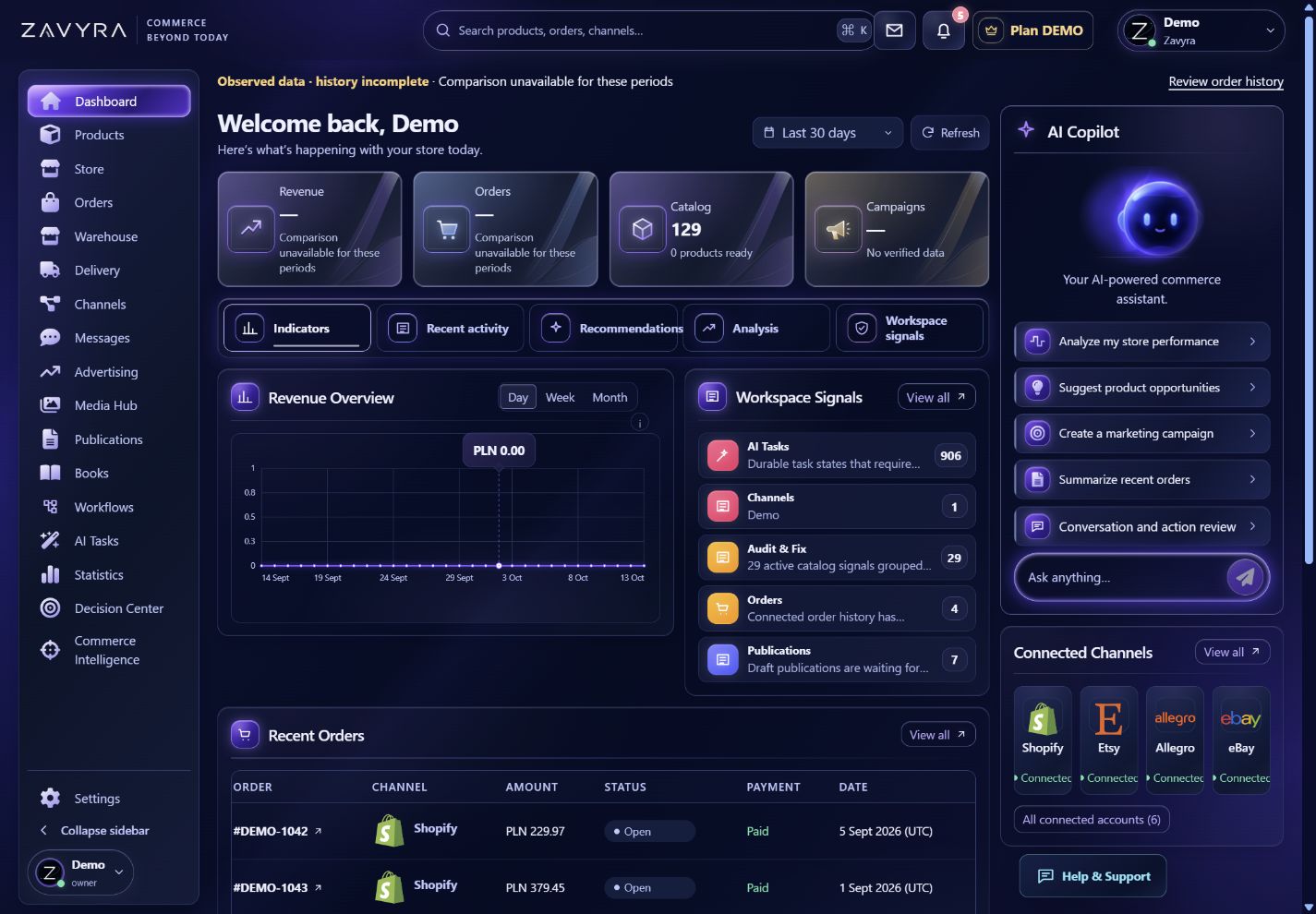
01
What your team gains
Recent orders and best-performing products
Signals from channels, delivery, advertising and Decision Center
Direct navigation into the source module and next action
Explore how this module looks and works.
A clickable preview with sample data. Operations remain local simulations.
Demo data. Switch views, change example settings and review the result in this preview.
02
A commerce operations dashboard that shows the real state of the business
Zavyra Dashboard brings the most important records from the active workspace into one readable view of commerce performance. Instead of opening the product catalog, order list, delivery, advertising and finance areas separately, the team starts with shared KPIs, recent activity and signals that require attention. Every summary keeps its source-module context, so an operator can move directly from a result to the relevant product, order, campaign or decision.
The commerce dashboard also separates a confirmed result from missing information. Time range, synchronization state and metric availability remain visible, so an unavailable value is not presented as zero. This matters when comparing sales across channels, reviewing current operational issues and planning team work from current source data rather than manually assembled reports.
When Zavyra Dashboard is most useful
Daily commerce review
Review revenue, order volume, channel activity and recent signals before the team begins operational work.
Fast exception discovery
Spot a synchronization gap, delivery risk, publication issue or pending decision without opening every module in sequence.
A shared team starting point
Send the responsible person directly to the source view while retaining the same time, product and workspace context.
How the workflow works
Review state
Open current KPIs, recent activity and workspace signals.
Identify priority
Compare areas that need attention with current results.
Continue to action
Open the relevant product, order, campaign or decision.
Frequently asked questions
Does Dashboard contain every module’s full data?+
It presents the most important available summaries and shortcuts. Detailed operations remain in their source modules.
Is unavailable data displayed as zero?+
No. Missing values remain marked as unavailable rather than being presented as a zero result.