A public branded catalog with its own name, description and address
 Commerce
beyond today
Storefront
A branded seller storefront connected to every sales channel
Storefront lets a seller configure brand identity, catalog layout, collections and public product pages. Customers browse a consistent brand experience, then continue to a connected sales channel to complete the purchase. This Zavyra module does not operate a cart or payment checkout.
Try Zavyra →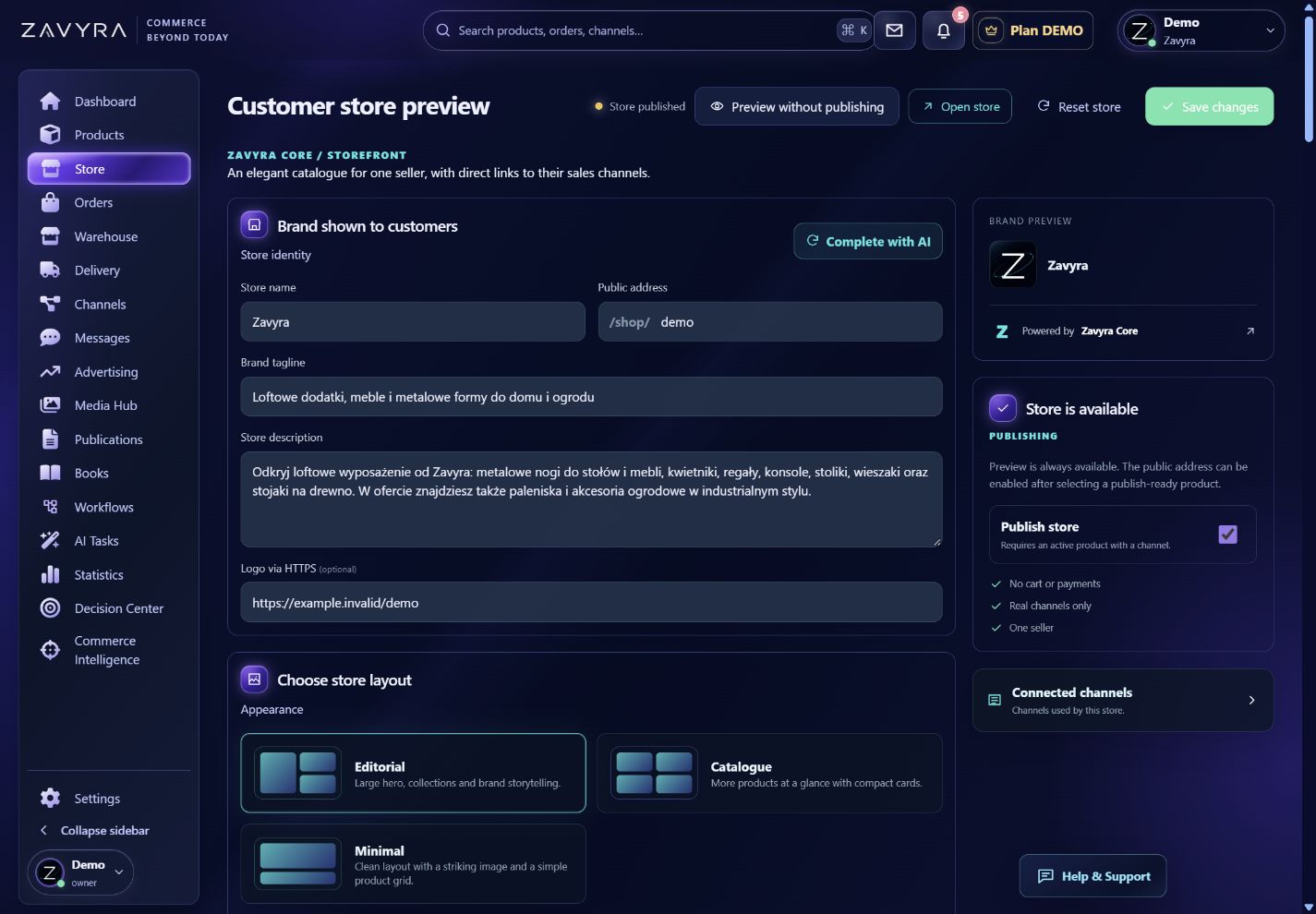
01
What your team gains
Collections, product cards and public product-detail pages
Current offer availability from connected sales channels
Direct purchase handoff to Allegro, Amazon, eBay, Etsy or Shopify
Explore how this module looks and works.
A clickable preview with sample data. Operations remain local simulations.
Demo data. Switch views, change example settings and review the result in this preview.
02
A branded catalog connected with the seller’s live offers
Zavyra Storefront creates a public catalog for one seller with brand name, description, logo, collections and product pages. It presents the assortment in a consistent destination independent of marketplace layouts while using products and media maintained in the same workspace. The seller chooses the visible range and can organize it as a compact catalog or a more editorial collection experience.
This module does not pretend to be a conventional store with its own cart and payment checkout. A public product page presents offer information and available sales channels, while the purchase is completed directly on connected Allegro, Amazon, Etsy, eBay or Shopify. Customers receive a clear place to discover the brand, while offer state and the transaction remain with the correct channel.
Ways to use Zavyra Storefront
Manufacturer or brand catalog
Present collections and products in one consistent site with a direct path to the seller’s current offer.
One presentation for many channels
Show available purchase destinations without rebuilding the complete brand page inside every marketplace.
Public product pages
Share readable product details with content, images, parameters and links to connected channels.
How the workflow works
Configure the brand
Set the public name, description, logo, address and catalog layout.
Publish products
Select products and collections shown in the public storefront.
Send to a channel
A customer reviews the offer and continues to a connected sales channel to buy.
Frequently asked questions
Does this storefront include a Zavyra cart and checkout?+
No. It is a branded public catalog. Checkout takes place in a connected sales channel.
Can one product link to several channels?+
Yes. A product page can show the seller’s available offers across supported connected channels.