Repeatable operations captured as a clear workflow
 Commerce
beyond today
Workflows
Repeatable commerce operations turned into a controlled workflow
Workflows lets teams configure and monitor supported automations in the active workspace. Every run retains its state, steps, result and error so operators can see what actually happened and where intervention is required.
Try Zavyra →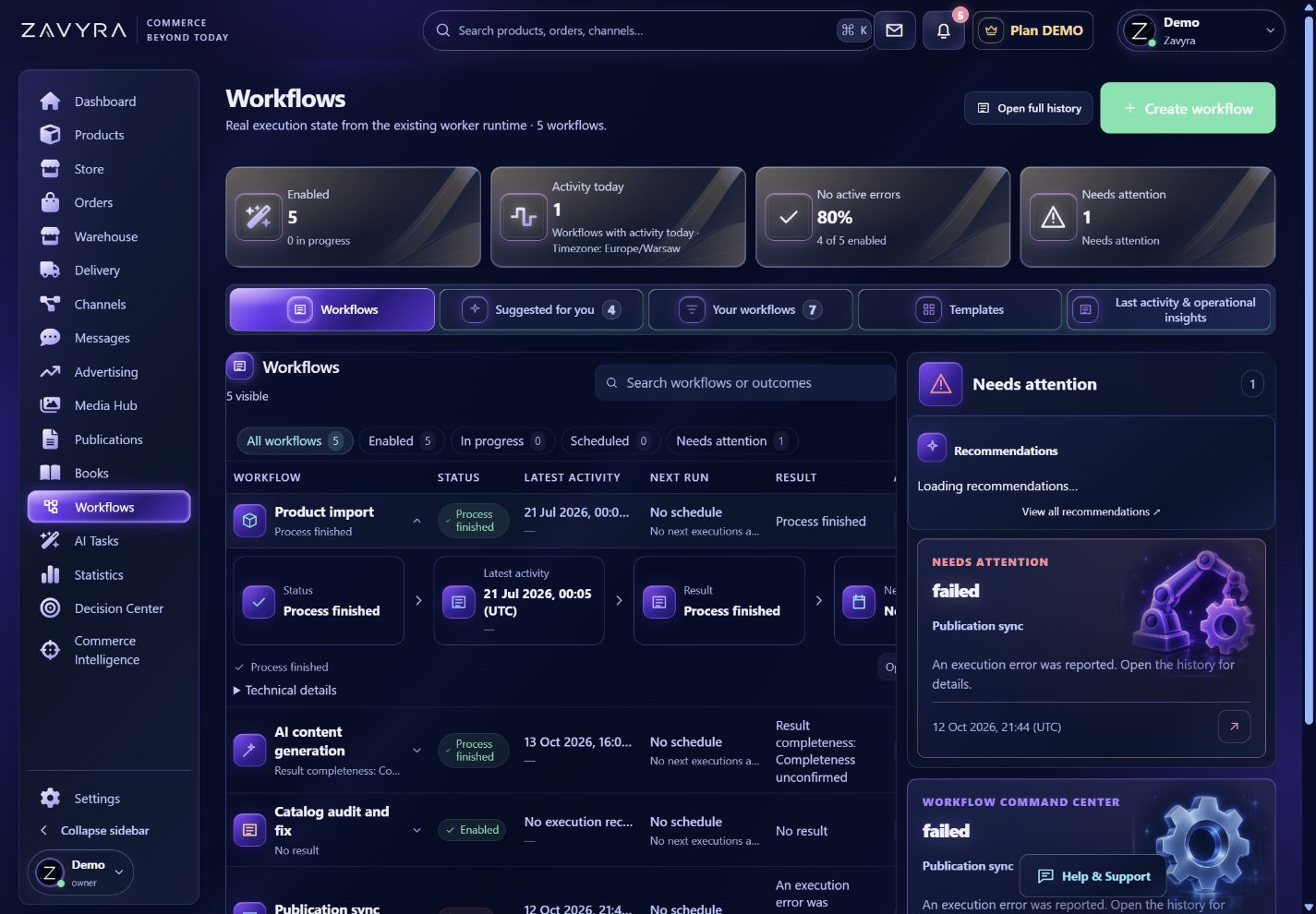
01
What your team gains
Visible state for every run and individual step
Results and errors retained in operational context
Human control before sensitive actions when required
Explore how this module looks and works.
A clickable preview with sample data. Operations remain local simulations.
Demo data. Switch views, change example settings and review the result in this preview.
02
Commerce automation with visible state for every step
Workflows captures repeatable operations as a controlled process with a defined start, sequential steps and a result. Instead of performing the same sequence manually for every product or order, the team selects a supported workflow and scope, then monitors execution. Every run has its own state, keeping waiting, completion and failure clearly separated.
Automation does not remove user control. Only supported triggers and actions available to the plan, integration and permission scope can run, while a sensitive step may still require approval. Execution history shows what happened and where the flow needs intervention, reducing the risk of a hidden failure or repeated operation without the correct context.
Where Workflows is useful
Repeatable processes
Organize a supported product, publication, order or delivery sequence as one monitored run.
Execution control
Review the current step, result and error instead of treating a start request as a completed action.
Approval for important changes
Keep a human decision where an operation affects data, publication or an external provider.
How the workflow works
Configure
Choose a supported workflow, settings and operational scope.
Run
Start execution manually or through an available trigger.
Monitor
Review each step, result and any explicit error.
Frequently asked questions
Can every process be automated freely?+
No. Only supported triggers and actions available to the active plan and integrations can be configured.
Does a later run hide an earlier step failure?+
No. Every run retains its own state and result so the problem remains reviewable.